
Holiday Scam Season in Canada: Don't Let a Scammer Ruin Your Christmas
Santa makes a list and checks it twice. So do scammers.
Between the sales, the shipping notices and the "I'll just click this real quick" moments, the holidays are the busiest season of the year for fraudsters. You're distracted, you're spending, you're expecting packages and you're feeling generous. For a scammer, that's a perfect storm.
The good news is that most holiday scams fall apart the moment you slow down. I wrote this one to be shared, so read it, then send it to your parents, your grandparents and that one friend who clicks on everything. (We all have one.)
Why December Is Scammer Season
Scammers go where the money and the distraction are. Shoppers are comparing prices, buying from stores they've never heard of, waiting on tracking updates and giving to charities. Every one of those is something a scammer can imitate.
The numbers back it up. The Canadian Anti-Fraud Centre (CAFC) said online merchandise fraud caused $12 million in losses in 2023, according to a federal Black Friday and Cyber Monday warning from the Communications Security Establishment, the CAFC and the RCMP. And that's only what got reported. Plenty of people stay quiet because they're embarrassed.
If you've read my earlier post on cyber scams in Canada, think of this one as the holiday edition.
The One Rule That Beats Most Scams
Nearly every scam has one thing in common: urgency. "Your package is stuck." "Your grandson is in jail." "This price ends in ten minutes." Scammers want you to act before you think.
So the whole defence comes down to three moves. This is my own shorthand, not an official list:
- Pause. Take a breath. Nothing real disappears in the next five minutes.
- Verify. Ask questions, look the store or charity up, and check the story.
- Go direct. Use the real website, the real app or the real phone number, never the link or number in the message.
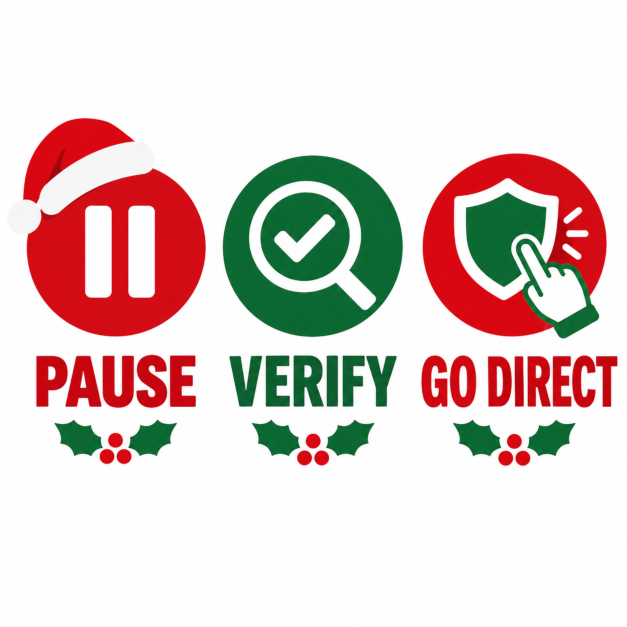
Pause. Verify. Go direct. Three moves that beat most holiday scams.
The Scammers' Greatest Hits
Get Cyber Safe, run by the Communications Security Establishment with the CAFC, publishes a list of the top 12 scams of the holidays. Here are the ones I'd make sure everyone you know has heard of:
- The Too-Good-To-Be-True Store. A brand-name item at a price that makes no sense is the bait. Buy from retailers you know, and research a store before you order.
- The "Your Package Is Stuck" Text. Be suspicious of unsolicited texts or emails claiming a delivery failed or asking for payment or personal details. Don't click the link. Go to the courier's website or app yourself.
- The Overpaying Buyer. Selling something online? Confirm you've actually received payment before you hand over the item. A buyer who pays more than your asking price, or asks you to send money first, is a red flag.
- The Gift Card Request. Legitimate businesses don't ask for payment in gift cards. Check store-bought cards for tampering, and avoid buying them from resale or auction sites.
- The Fake Charity. Verify a charity's registration with the Canada Revenue Agency, and donate directly through the charity when you can.
- The "You've Won!" Message. You can't win a contest you didn't enter, and a real prize doesn't require a fee or your personal information.
- The Emergency Call. If someone calls saying a loved one needs bail or hospital money, pause, ask questions to verify who you're talking to, and contact the person directly.
- The Free Phone Offer. Callers offering free phones or discounted plans may be collecting your personal data to order phones in your name.
What a Fake Delivery Text Looks Like
Here's an example I made up. Real ones look a lot like it:
Your package could not be delivered. Confirm your address and pay a $1.99 redelivery fee within 24 hours: [a strange link]
Look at what it does. It's unexpected, it creates a deadline, it asks for a small payment and it wants you to tap a link. That's a lot of red flags in one sentence. The safe move is to ignore it, then check your orders in the retailer's app or on the courier's website.
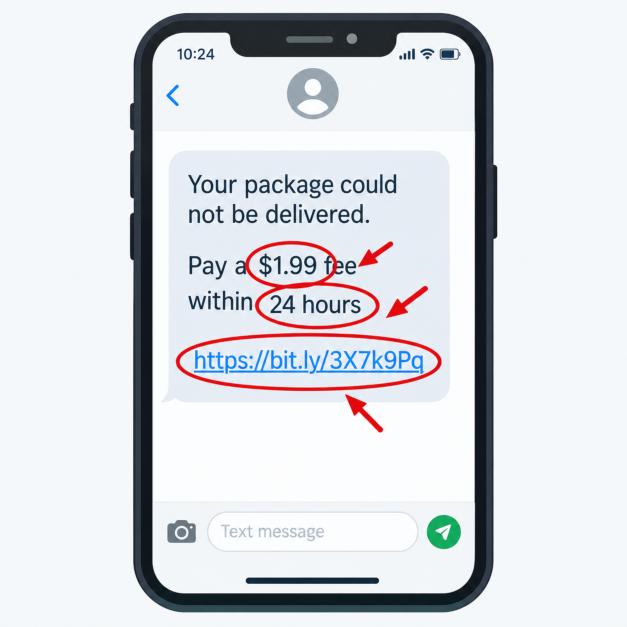
Spot the red flags: a deadline, a small fee, and a link you didn't ask for.
The Five-Second Fake Store Check
The federal warning lists several signs that an online store isn't legitimate. Check these before you type in a card number:
- Prices that are far too low.
- A complicated payment process, where legitimate stores keep it simple and standard.
- Missing information, such as a return policy, privacy policy or proper contact details.
- Typos or odd spellings in the web address, like swapping an "o" for a zero.
- No padlock or no "https" in the address.
One caution on that last point. A padlock only means your connection to the site is encrypted. It doesn't mean the store is honest, so treat it as a minimum, not a guarantee.
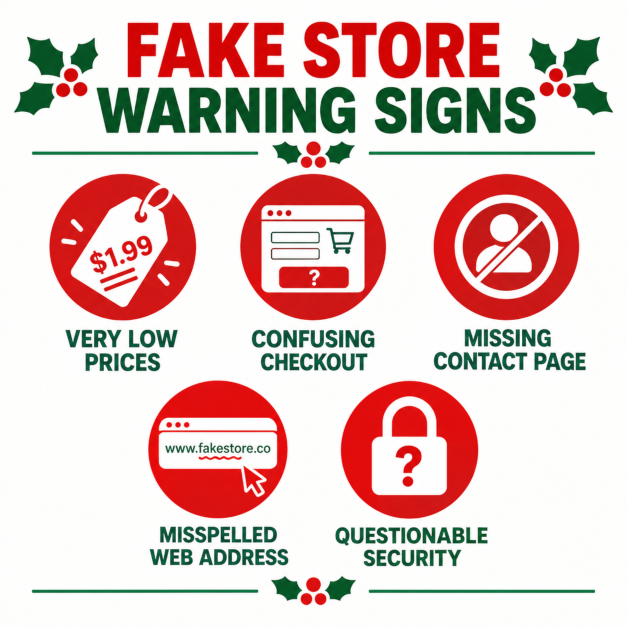
Five warning signs of a fake online store.
Habits That Make You a Harder Target
- Go direct. Type the retailer's or courier's address yourself, or use their official app, instead of clicking links in texts and emails.
- Don't save card details in your browser. The federal warning recommends this, and it limits the damage if an account is compromised.
- Avoid shopping on public Wi-Fi. Buy from your home network or your phone's cell data, and if you have to use public Wi-Fi, use a VPN.
- Use a credit card where you can. In general, a credit card gives you stronger dispute options than a debit card or e-transfer, but check your card's terms.
- Turn on MFA and use unique passwords for your retailer accounts, which I covered in my home computer security guide.
- If it seems too good to be true, it probably is. It's an old rule, and it still works.
Send This Part to Mom and Dad
Scammers lean hardest on people who are busy, lonely or worried about a loved one. So here's the short, plain-language version to pass along to parents, grandparents and anyone who's less comfortable with technology:
- If someone calls saying a family member is in trouble, hang up and call that person directly. Ask questions first to verify who you're talking to.
- Nobody legitimate asks to be paid in gift cards. Nobody.
- Don't tap links in texts. Open the store's or courier's app instead.
- You can't win a contest you didn't enter.
- Not sure? Ask someone before you pay. A two-minute call is cheaper than a lost paycheque.
One idea worth trying: agree on a family code word that only real family members know. If a caller claims to be a grandchild in trouble, ask for it.
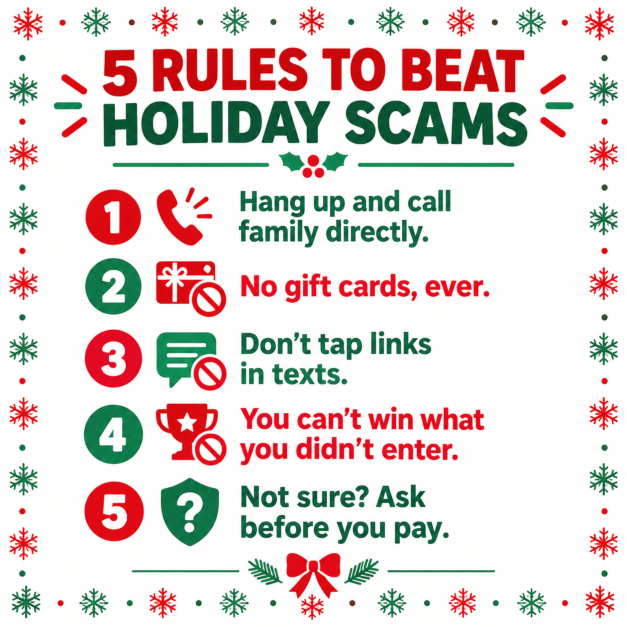
Print this card and stick it on the fridge.
If You've Been Caught
It happens to careful people, and there's no shame in it. What matters is moving quickly:
- Contact your bank or card issuer right away to stop or dispute payments.
- Change the passwords for any account you gave away, starting with email and banking, and turn on MFA.
- Contact your local police as soon as possible, which is the CAFC's own advice.
- Report it to the CAFC at reportcyberandfraud.canada.ca, where you can report anonymously. You can also call 1-888-495-8501, but the line is open Monday to Friday, 10 am to 4:45 pm Eastern, and closed on holidays, so use the online form over the holiday break.
- Forward suspicious texts to 7726, the number for reporting spam texts in Canada.
- For identity theft, contact your financial institutions and the credit bureaus, Equifax Canada and TransUnion Canada.
Share This One
Scammers win when we're rushed, embarrassed or on our own. They lose when we pause, ask someone and go direct.
So here's your homework: send this article to one person who'd rather hear it from you than learn it the hard way. Then enjoy the season.
Stay safe out there.
This guidance is based on the Get Cyber Safe and Canadian Anti-Fraud Centre resources linked above, plus a few common-sense tips of my own. The Get Cyber Safe holiday list was last updated in December 2024, and the Black Friday warning is from November 2024. Scam tactics change, so check their sites for the latest warnings. Information current as of October 15, 2026.
As always, if you have questions or want help securing your devices, reach out through the Need Help? page.
#Cybersecurity #Scams #Canada #HolidayScams #OnlineShopping #CyberSafety #TechTips


