
Backing Up My 3-Node Proxmox Cluster with Proxmox Backup Server
A cluster keeps your services running when a node goes down. It doesn't protect you from deleting the wrong VM, a bad update, a corrupted disk, or ransomware, because a cluster will faithfully keep whatever mistake you just made. That's why backups are a separate job, and why mine live on a separate machine.
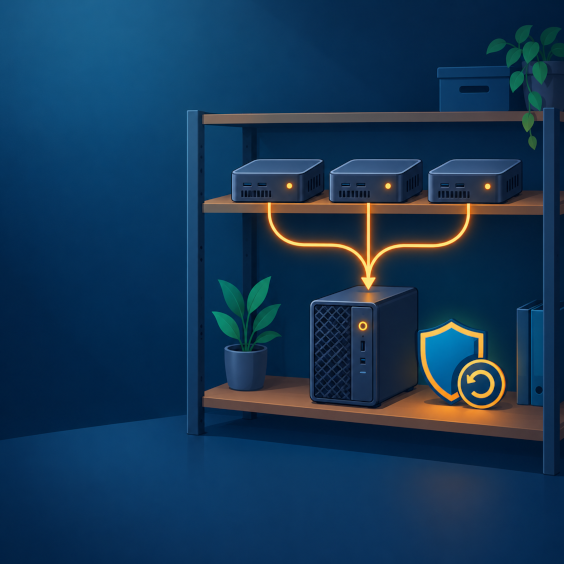
I run a three-node Proxmox cluster at home, and it's backed up to a Dell Optiplex running Proxmox Backup Server (PBS). I love it, so here's how it fits together and what I'd tell anyone setting up the same thing.
Why a Separate Backup Machine
PBS is installed on its own, on bare metal, from its own ISO. It isn't part of Proxmox VE. Keeping backups on different hardware from the cluster means that if the cluster has a bad day, the backups don't share its fate. For the same reason, I wouldn't run PBS as a VM on the cluster it's protecting.
A used business desktop like an Optiplex is a sensible fit for the job. It's small, easy to find, and backup storage doesn't need a lot of processing power, so most of your money can go toward disks instead.
What PBS Does Better Than Plain Backups
- Incremental and deduplicated. After the first backup, only changed data is stored, and identical chunks are stored once across every VM in the datastore. Lots of restore points take a fraction of the space that full copies would.
- Fast backups of running VMs. For QEMU VMs, PBS tracks what changed since the last run, so later backups finish much faster than the first one.
- Verification. Verify jobs read your backups back and check them against their checksums, so you find out about a problem before the day you need the backup.
- Optional encryption. It's done on the client side, so data is encrypted before it leaves the node.
- File-level restore. You can pull a single file out of a backup from the web interface instead of restoring a whole VM.
How It Connects to a Three-Node Cluster
In Proxmox VE, you add PBS once as a storage target at the datacenter level (Datacenter, Storage, Add, Proxmox Backup Server). You give it the server address, datastore name, credentials, and the server's fingerprint. Because that storage is shared across the cluster, a single backup job can cover VMs and containers on all three nodes and send them to the same datastore.
That's also where deduplication pays off. Similar VMs running on different nodes can share chunks, so you aren't storing the same operating system data three times over.
Things I'd Tell Anyone Setting This Up
- Test a restore. A backup you've never restored is a hope, not a backup. Restore a VM to a spare ID and make sure it boots.
- Pruning doesn't free space on its own. Prune removes old backups according to your retention rules, and garbage collection is what actually reclaims the disk space. Schedule both.
- Use SSDs if you can. The chunk store is a lot of small files. Spinning disks work, but garbage collection and verification run slower on them.
- Guard your encryption key. If you turn encryption on, keep a copy of the key somewhere safe and separate. Without it, those backups can't be restored.
- Plan for a second copy. PBS on one Optiplex is one copy in one place. PBS can sync backups to another PBS server, which is how you work toward a proper 3-2-1 setup.
The Trade-Offs
It's another machine to power, patch, and keep an eye on, and a single backup server is still a single point of failure until you add a second copy. The software itself is free, with paid subscriptions available for support and the stable enterprise repository, so the real cost is the hardware and the disks.
Where I Landed
I love it. Having the backups on a separate box means I can change things on the cluster knowing I can roll back, and that's worth the extra machine. If you're running a few Proxmox nodes and still copying VMs around by hand, or leaning on the cluster alone, a dedicated PBS is the upgrade I'd make first.
As always, if you have questions or want help setting this up, reach out through the Need Help? page.
#Proxmox #ProxmoxBackupServer #Homelab #Backups #SelfHosting #Virtualization #TechTips


